 Tryvo
TryvoBrand dashboard
Products
Products synced from Shopify — the starting point for every campaign.
My Products lists every product from your Shopify store. Tryvo keeps the list up to date automatically via Shopify webhooks — there's nothing to import by hand.
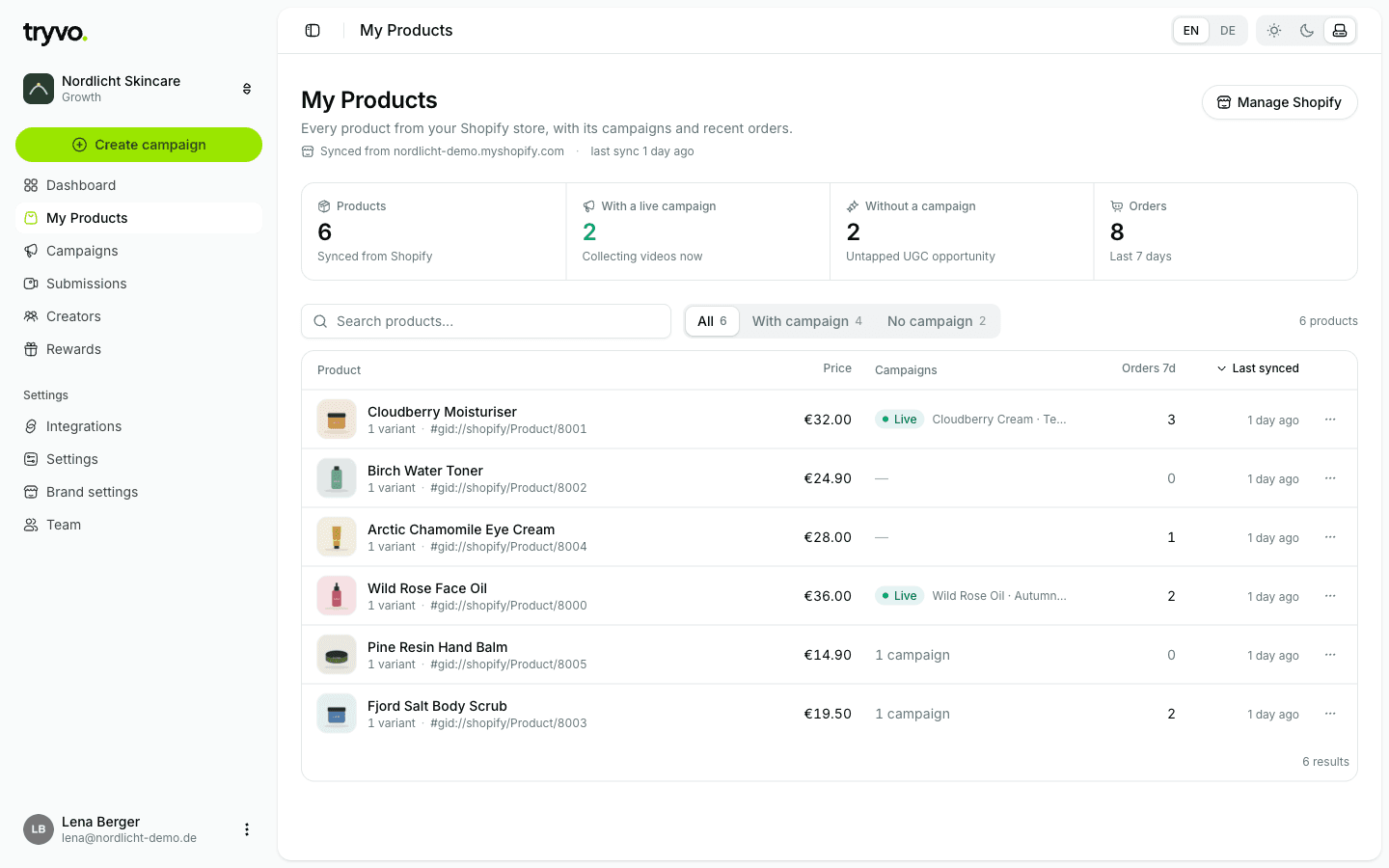
The list
- Key metrics: total products, products with an active campaign, products without a campaign (untapped UGC potential) and orders in the last 7 days.
- Filters: All, With campaign, Without campaign — plus a search.
- Columns: price, the campaigns running on the product, orders in the last 7 days and when it was last synced.
- Manage in Shopify opens the product admin in Shopify. Product details (title, price, images) are always edited in Shopify, not in Tryvo.
Product detail
Click a product to see its detail page. It has four tabs:
| Tab | Content |
|---|---|
| Overview | Orders, units sold, revenue and submissions, plus a chart of orders per week (last 12 weeks) |
| Orders | The product's Shopify orders |
| Campaigns | Campaigns that use this product |
| Submissions | All videos submitted for this product |
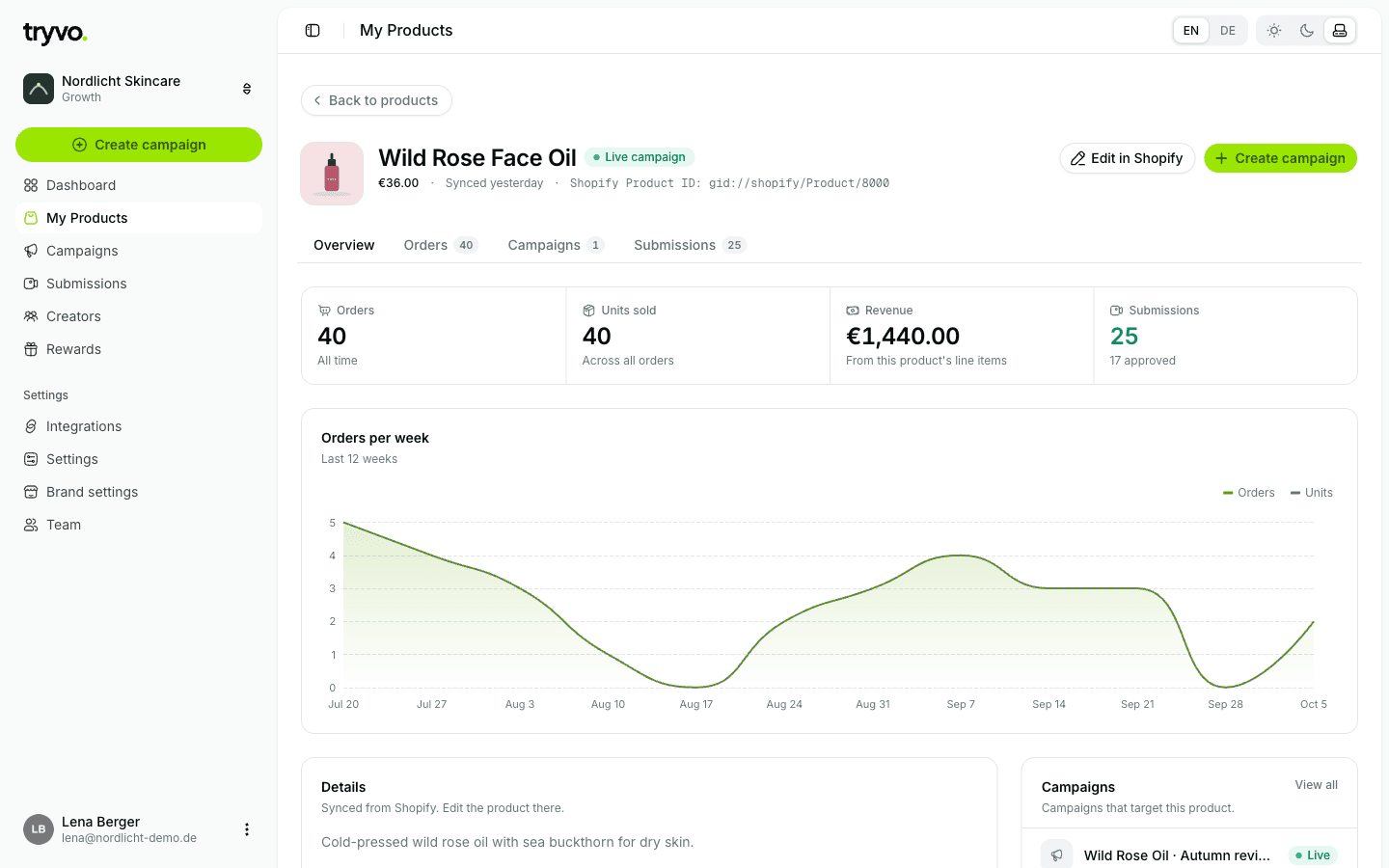
From here, Create campaign starts a new campaign for exactly this product.
A product is missing
- Check that the product is active in Shopify.
- Open Integrations → Shopify and click Resync now.
Tryvo can read orders from the last 60 days only (a Shopify limit for apps without access to the full order history). Older orders don't appear in Tryvo.