 Tryvo
TryvoSubmissions & review
The AI quality gate, the review inbox and what happens when you approve or reject a video.
Statuses
| Status | Meaning |
|---|---|
| Processing | The video was uploaded and the AI is still scoring it |
| In review | Passed the AI quality gate — waiting for your decision |
| Approved | You approved it; the reward is being or has been issued |
| Rejected | You rejected it, or the buyer failed the quality gate on the last attempt |
The AI quality gate
Every uploaded video is scored by AI from 0 to 100 on four dimensions:
| Dimension | What is checked |
|---|---|
| Video | Light, sharpness, framing |
| Audio | Clarity, background noise |
| Idea | Does the video cover the suggested video idea (in spirit, not word for word)? |
| Brand | Does it fit the brand? |
The AI looks at a transcript and several still frames from the video. A video passes at an overall score of 50 or more and then moves to In review.
If a video doesn't pass and the buyer has attempts left, the attempt stays open and the buyer can upload a new video with the same link. Each buyer has 3 attempts per invitation; failing the third one rejects the submission.
Review inbox
Submissions shows every video across all campaigns. Filter by To review, Processing, Approved, Rejected, All, by campaign, or search by email, name or campaign. The key metrics show how many videos wait for review, your approval rate, rejections and the average AI score.
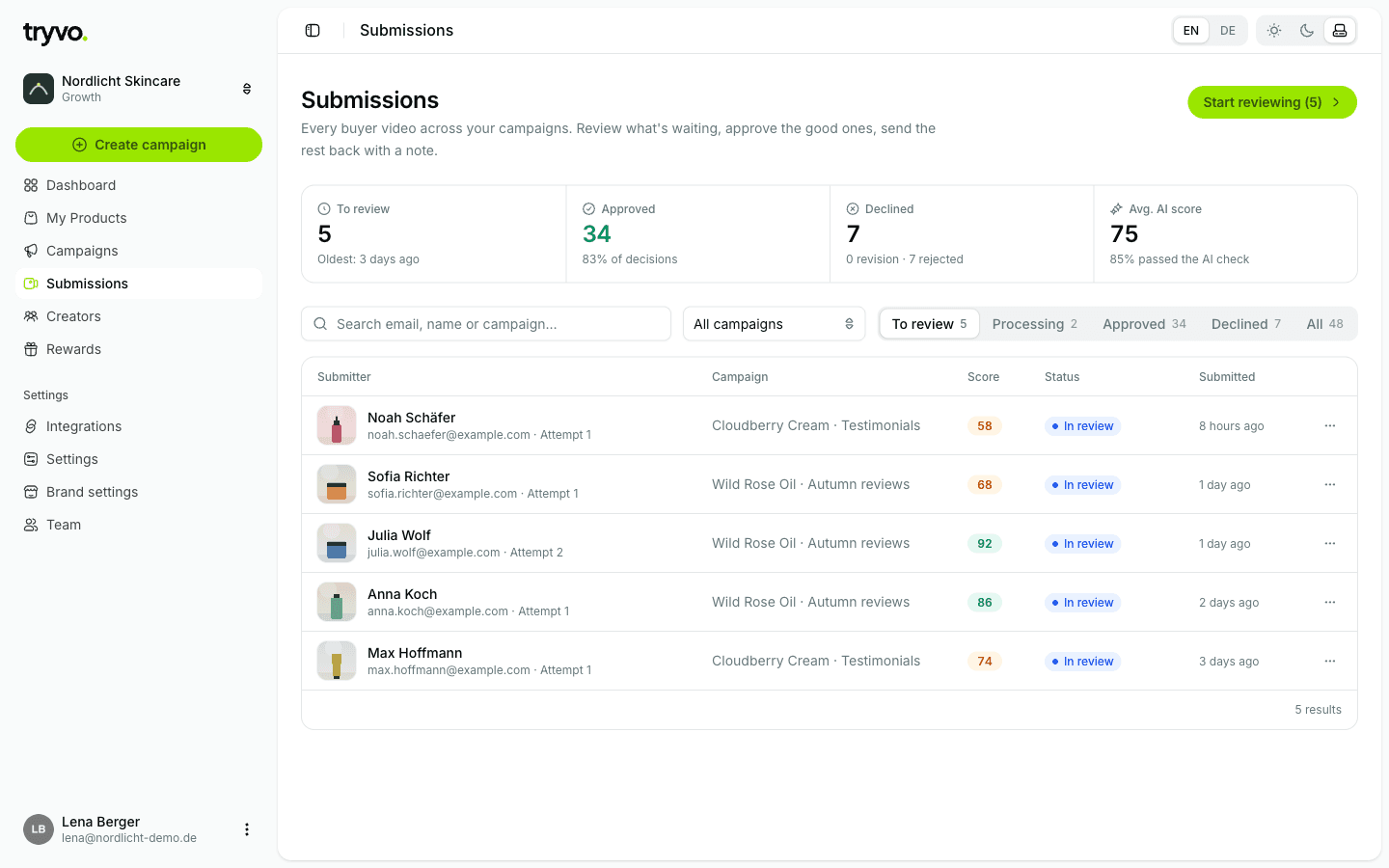
Review now opens the oldest video waiting for review.
Reviewing a video
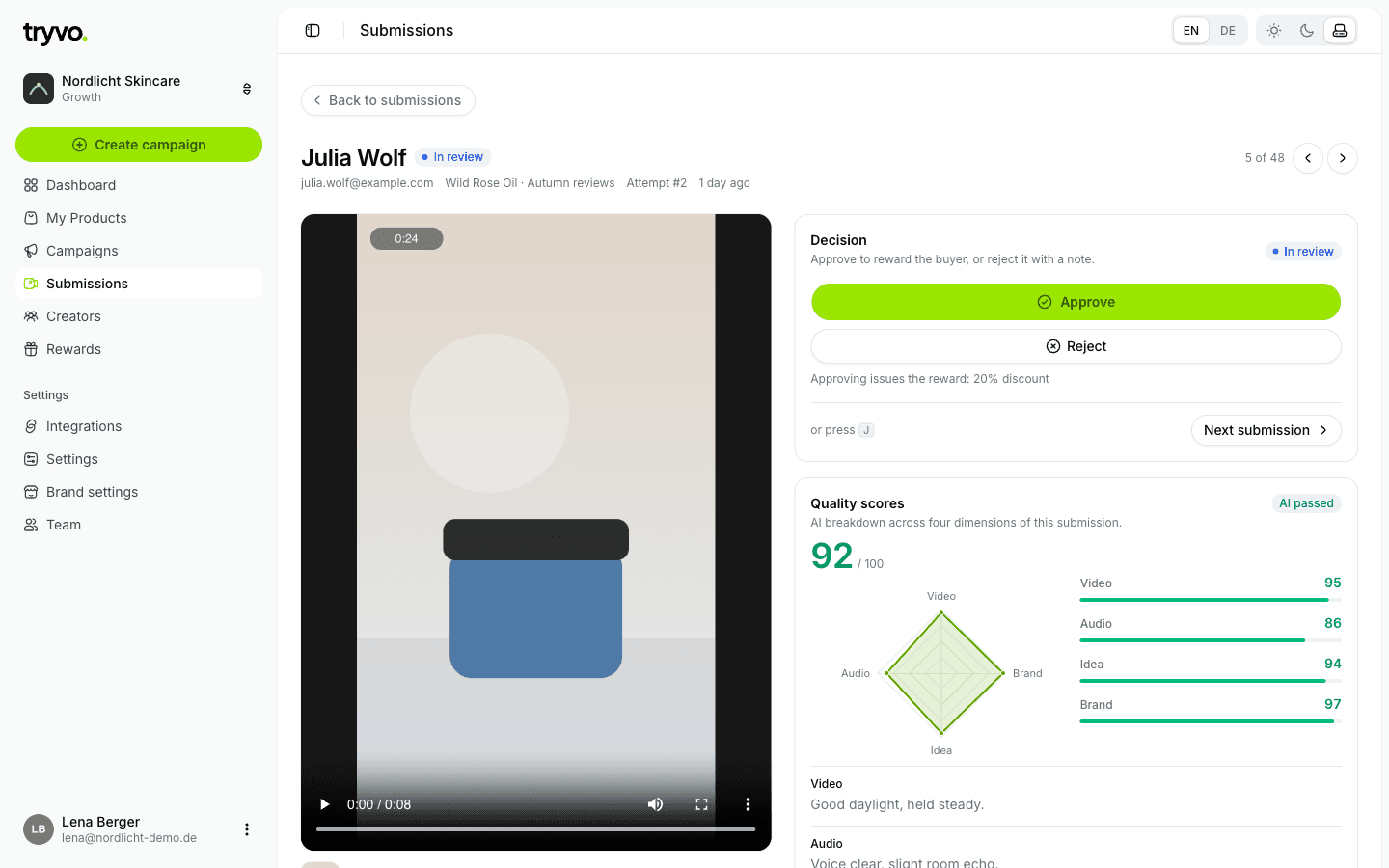
The review page shows the video, the buyer, the campaign and the attempt number, next to:
- Decision: Approve or Reject. The panel tells you which reward the approval will issue.
- Quality scores: overall score, a radar chart and the AI's notes per dimension.
- Further down: the transcript, the buyer's questionnaire answers and the video idea they received.
Keyboard shortcuts: J or → next submission, K or ← previous submission.
Approve
- The submission becomes Approved and the invitation is completed.
- Tryvo creates the reward in Shopify (if the campaign has a reward and the invitation belongs to a real order) — see Rewards.
- Klaviyo receives
submission_approved, and laterreward_deliveredonce the reward exists.
Approval is final. An approved video can't be rejected afterwards. You can approve while the AI is still scoring if you've already seen enough.
Reject
Optionally add a note for your team (⌘/Ctrl + Enter to send, Esc to cancel). If the buyer has attempts left, they can still upload another video with their link.
The rejection note is internal — the buyer doesn't see it.