 Tryvo
TryvoRewards
How rewards are issued in Shopify, the reward lifecycle and what to do when a reward fails.
When you approve a video, Tryvo issues the campaign's reward automatically in your Shopify store. Rewards shows every one of them.
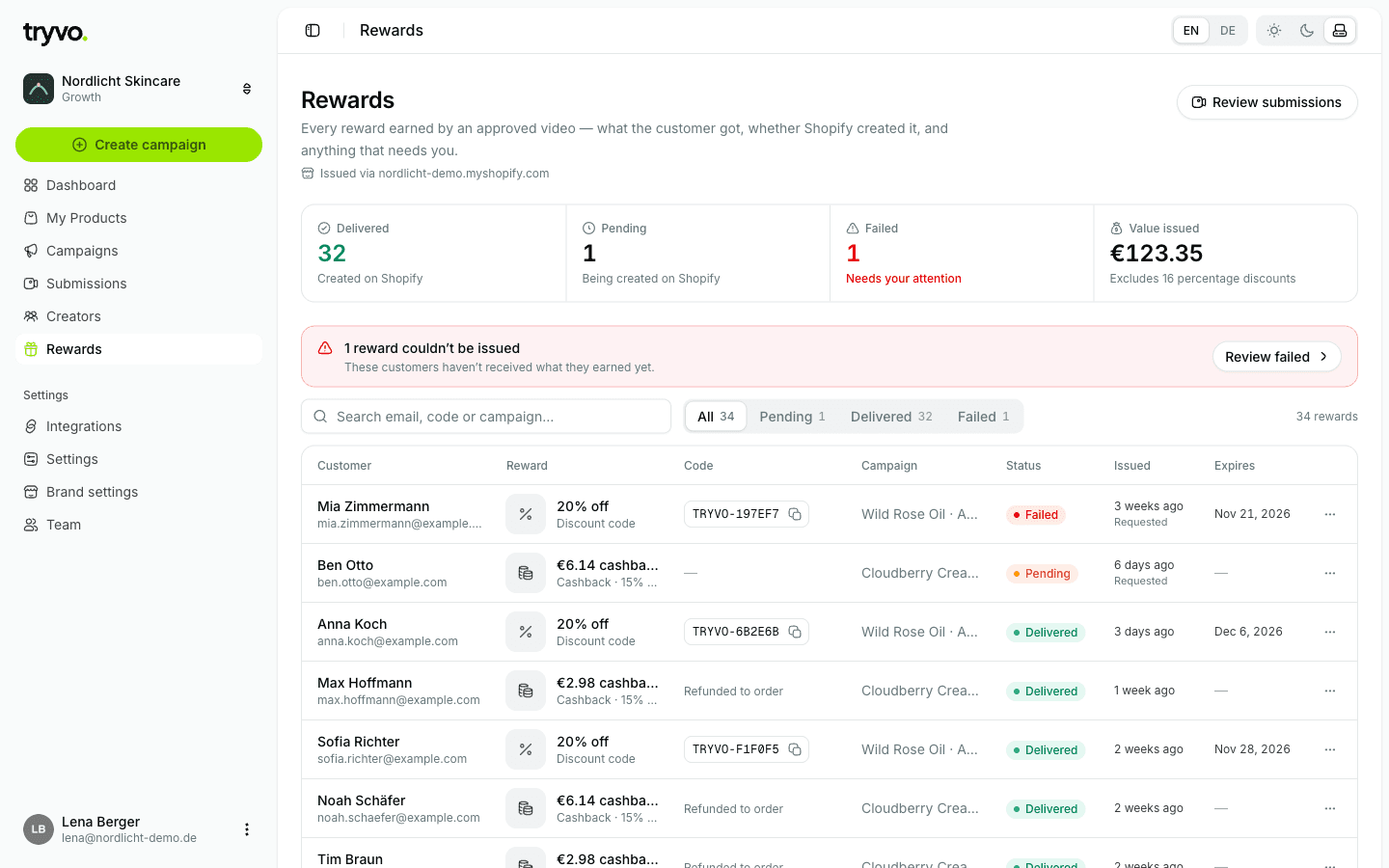
Statuses
| Status | Meaning |
|---|---|
| Pending | Tryvo is creating the reward in Shopify |
| Delivered | The reward exists in Shopify and the buyer was notified via Klaviyo (reward_delivered) |
| Failed | Shopify didn't accept the reward — needs your attention |
The list puts failed rewards first. Filter by Pending, Delivered, Failed, or search by email, code or campaign. Discount codes can be copied with one click.
How each reward is issued
| Reward | What Tryvo creates in Shopify |
|---|---|
| Discount | A discount code in the format TRYVO-XXXXXXXX, valid once per customer, with the expiry you set |
| Cashback | A refund on the buyer's original order — percent of the order total or a fixed amount. Shopify notifies the buyer. |
| Free product (coupon) | A single-use code for 100% off the chosen product |
| Free product (ship) | A draft order at 100% off, tagged tryvo-reward — complete and ship it in Shopify |
Rewards are only issued for invitations that belong to a real Shopify order — so test-link submissions never create a reward.
Reward detail
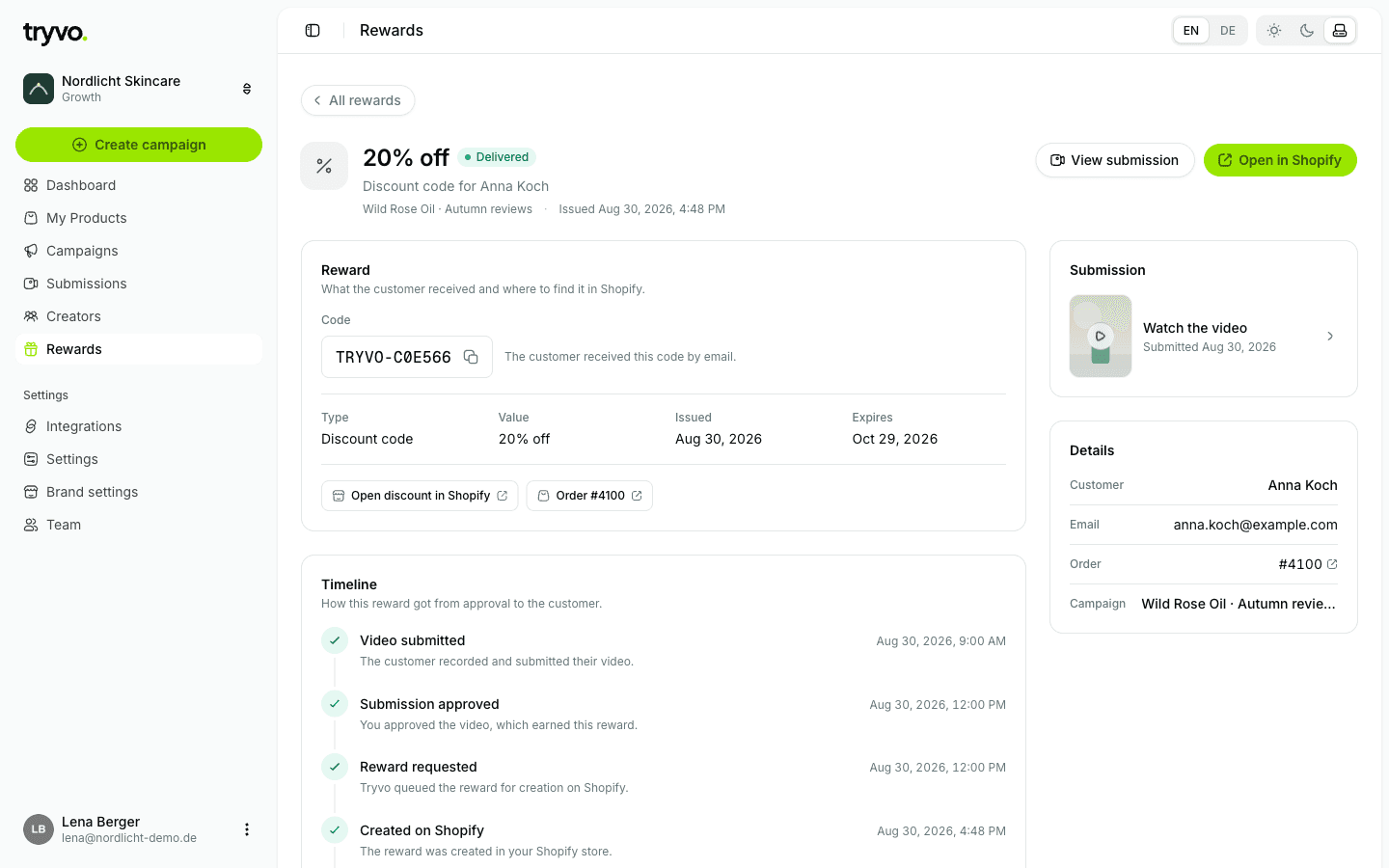
The detail page shows the code (if any), type, value, issue and expiry date, links to the discount and the order in Shopify, and a timeline from the submitted video to the reward.
When a reward fails
Tryvo retries temporary errors automatically. If a reward still fails, the most common causes are:
- the Shopify connection needs to be renewed — check Integrations → Shopify,
- the order can't be refunded anymore (cashback), for example because it was already refunded in full.
Use Check Shopify connection or Open order in Shopify on the reward. Re-issuing a failed reward directly from Tryvo isn't available yet — create it manually in Shopify if needed.